Vue Firebase Masterclass
ตอนที่ 15: Vue + Firebase - เพิ่ม Checkout ด้วย Cloud function
เพิ่ม security rule และหน้า Success
สารบัญ
เพิ่ม security rule ให้ order
- ตัว order นั้นเนื่องจากเป็นเคสที่ guest สามารถสั่งได้ = อนุญาตให้ทุกคนสามารถดึงข้อมูลผ่าน key ได้
- แต่เราจะ "ไม่อนุญาต" ให้ทุกคน list ได้ (ยกเว้น admin) เพื่อกันเคสที่ทุกคนจะมา list ดู order id ของคนอื่น
- และ status ของ order ต้องเป็น successful เท่านั้น ถึงจะอนุญาตให้ดึงได้ (เพิ่มไว้เพื่อเป็น validation)
firestore.rules
plain
rules_version = '2';

service cloud.firestore {
  match /databases/{database}/documents {
    function isAdmin() {
      return request.auth != null && request.auth.uid != null && get(/databases/$(database)/documents/users/$(request.auth.uid)).data.role == 'admin';
    }

    match /orders/{orderId} {
      allow list: if isAdmin();
      allow get: if (resource.data.status == 'successful' || isAdmin());
      allow write: if false;
    }
  }
}
เพิ่มเชื่อม order หน้า success
- ในหน้า success เราจะรับ order id เข้ามา
ที่ stores/user/cart.js
javascript
import { defineStore } from 'pinia'
import axios from 'axios'

// เพิ่ม firestore เข้ามา
import {
  doc,
  getDoc
} from 'firebase/firestore'

import {
  db,
  realtimeDB
} from '@/firebase'

import { useAccountStore } from '@/stores/account'

export const useUserCartStore = defineStore('user-cart', {
  state: () => ({
    items: [],
    checkout: {}
  }),
  getters: {
    /* code ส่วนอื่นเหมือนเดิม */
  },
  actions: {
    /* code ส่วนอื่นเหมือนเดิม  */
    async loadCheckout (orderId) {
      try {
        const orderRef = doc(db, 'orders', orderId)
        const docSnap = await getDoc(orderRef)
        let checkoutData = docSnap.data()
        checkoutData.orderNumber = orderId
        checkoutData.createdAt = checkoutData.createdAt.toDate()
        // ส่งต่อข้อมูลไป checkout
        this.checkout = checkoutData
      } catch (error) {
        throw new Error(error.message)
      }
    }
  }
})
ที่ Success.vue
html
<script setup>
import { onMounted, ref } from 'vue'
import { useRoute } from 'vue-router'

import { useUserCartStore } from '@/stores/user/cart'
import UserLayout from '@/layouts/UserLayout.vue'

const userCartStore = useUserCartStore()
const checkoutData = ref({})
const orderId = ref('')

const route = useRoute()

onMounted(async () => {
  try {
    // check ก่อนว่ามี order_id เข้ามาผ่าน route ไหม
    if (!route.query.order_id) {
      throw new Error('order not found')
    }
    orderId.value = route.query.order_id
    await userCartStore.loadCheckout(orderId.value)
    checkoutData.value = userCartStore.checkout

    // Clear cart
    userCartStore.clearCart()
  } catch (error) {
    console.log('error', error)
    location.href = '/'
  }
})
</script>

<template>
  <!-- code เหมือนเดิม -->
</template>
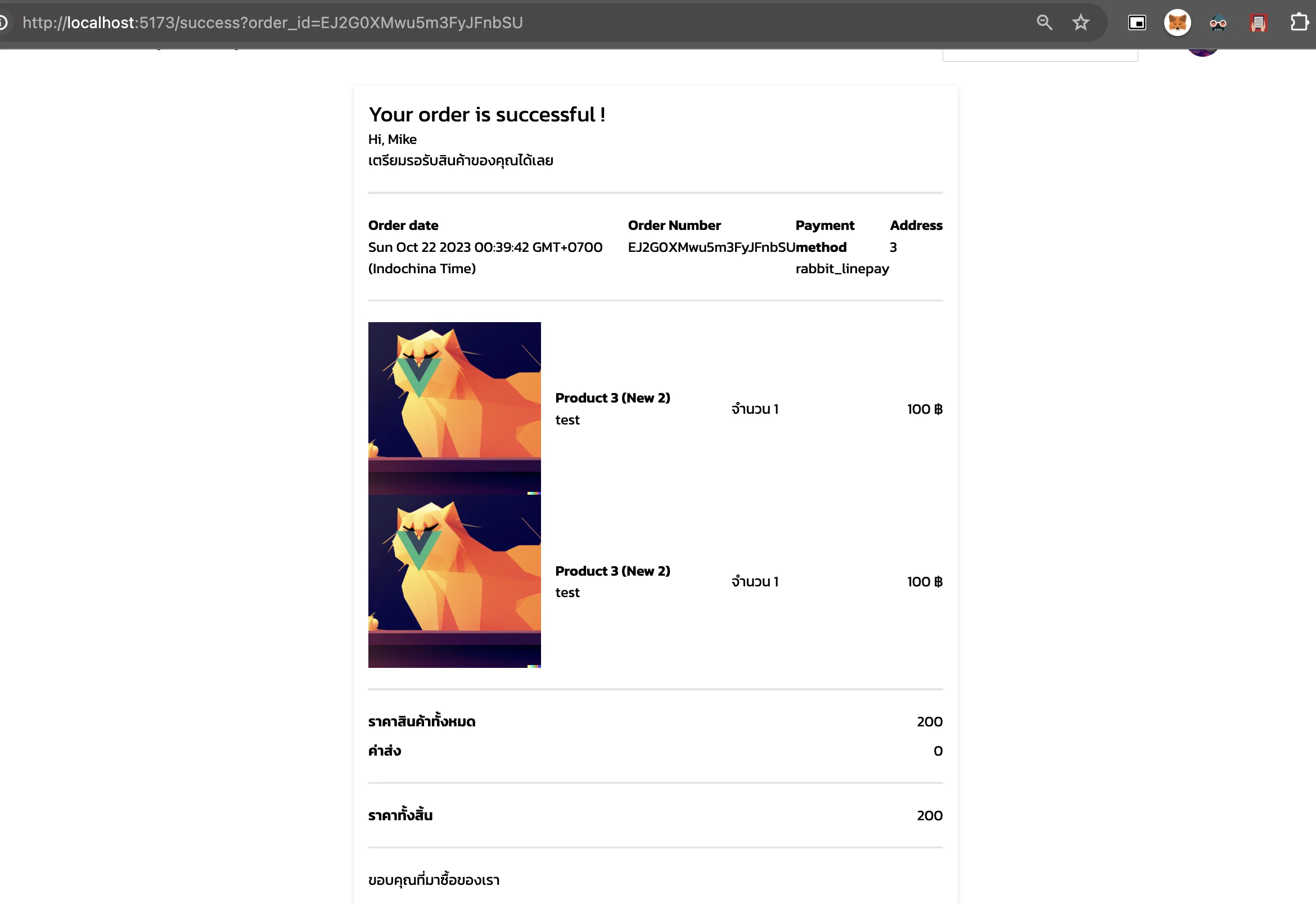
ผลลัพธ์จากหน้า success ก็จะสามารถดึงข้อมูลออกมาได้