Vue Firebase Masterclass
ตอนที่ 10: Vue + Firebase - เพิ่ม Login ฝั่ง User และ Admin ด้วย Firebase Authentication
ใส่ Login ฝั่ง User
สารบัญ
ทำ login ด้วย gmail ในหน้า User
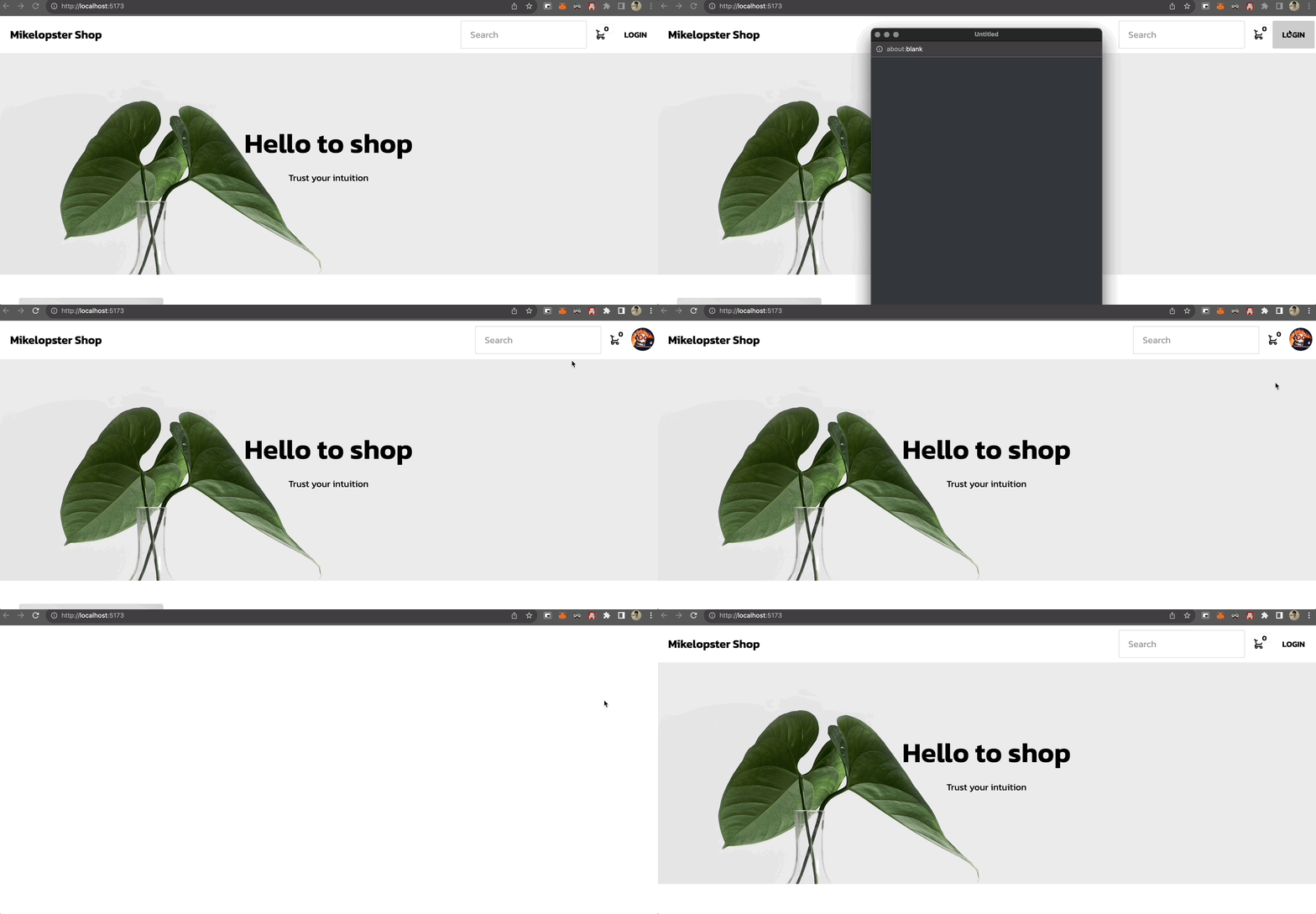
สิ่งที่จะทำ
- ปรับส่วนปุ่ม login ให้ใช้ login ผ่าน gmail แทน (ซึ่งทำไปแล้วในหัวข้อก่อนหน้านี้)
- เพิ่ม state ว่า ถ้า login ยังคาอยู่ = ให้แสดงรูป profile ออกมา และไปยัง menu profile ได้ (เปลี่ยนจากก่อนหน้านี้ที่ดักตาม localstorage)
- เพิ่ม logout
- เพิ่ม
onAuthStateChangedเพื่อ auto login หาก session ยังไม่หมดเวลา = ไม่ต้องกด login ทุกรอบได้
สร้าง store/account.js
- สร้าง account.js ขึ้นมาโดยกำหนด state เอาไว้ว่า login หรือไม่ (
isLoggedIn) และเก็บข้อมูล user เอาไว้ตอน login - เพิ่ม
signInWithGoogleขึ้นมา (โดยย้ายจากตอนที่เรียกผ่านUserLayout.vueมาเรียกใช้ผ่าน store แทน) - เพิ่ม
logoutเข้ามาเพื่อออกจากระบบ - เพิ่ม
onAuthStateChangedเพื่อใช้เช็คตอนเปิดหน้าขึ้นมา
javascript
import { defineStore } from 'pinia'

// ย้ายมาจากหน้า UserLayout.vue
import {
  GoogleAuthProvider,
  onAuthStateChanged,
  signInWithPopup,
  signOut
} from 'firebase/auth'

import { auth } from '@/firebase'

const provider = new GoogleAuthProvider()
provider.addScope('https://www.googleapis.com/auth/contacts.readonly')

export const useAccountStore = defineStore('user-account', {
  state: () => ({
    isLoggedIn: false,
    user: {}
  }),
  actions: {
    async checkAuthState () {
      return new Promise((resolve) => {
        onAuthStateChanged(auth, (user) => {
          if (user) {
            this.user = user
            this.isLoggedIn = true
            resolve(true)
          } else {
            resolve(false)
          }
        })
      })
    },
    async signInWithGoogle () {
      try {
        const result = await signInWithPopup(auth, provider)
        this.user = result.user
        this.isLoggedIn = true
      } catch (error) {
        console.log('error', error.code)
        throw new Error('Login invalid')
      }
    },
    async logout () {
      this.isLoggedIn = false
      await signOut(auth)
    }
  }
})
ปรับ UserLayout.vue
html
<script setup>
/* import vue ตัวอื่นๆมา */

import { useAccountStore } from '@/stores/account'
import { useEventStore } from '@/stores/event'

const userAccountStore = useAccountStore()
const eventStore = useEventStore()

const login = async () => {
  try {
    await userAccountStore.signInWithGoogle()
  } catch (error) {
    console.log('error', error)
    eventStore.popupMessage('error', 'Login failed')
  }
}

const logout = async () => {
  try {
    await userAccountStore.logout()
    localStorage.removeItem('login')
    localStorage.removeItem('cart-item')
    localStorage.removeItem('checkout-data')
    window.location.reload()
  } catch (error) {
    console.log('error', error)
  }
}
</script>

<template>
  <!-- ส่วนที่เกี่ยวข้องกับ login, logout -->
  <div v-if="!userAccountStore.isLoggedIn" class="btn btn-ghost" @click="login">
    Login
  </div>
  <div v-else class="dropdown dropdown-end">
    <label tabindex="0" class="btn btn-ghost btn-circle avatar">
      <div class="w-10 rounded-full">
        <img src="https://mikelopster.dev/mikelopster.da6b9a03.webp" />
      </div>
    </label>
    <ul tabindex="0" class="menu menu-sm dropdown-content mt-3 z-[1] p-2 shadow bg-base-100 rounded-box w-52">
      <li>
        <RouterLink to="/profile" class="justify-between">
          Profile
        </RouterLink>
      </li>
      <li>
        <a @click="logout">Logout</a>
      </li>
    </ul>
  </div>
</template>
เพิ่มเช็ค state ตอนเปิด Route
- เพิ่ม
onAuthStateChangedเพื่อใช้เช็คตอนเปิดหน้าขึ้นมาที่ Router
ที่ router/index.js
javascript
router.beforeEach(async (to, from, next) => {
  // เพิ่มเรียก checkAuthState ขึ้นมาเพื่อ update store ให้ user ถูก update
  const userAccountStore = useAccountStore()
  await userAccountStore.checkAuthState()

  // ทำการแสดง route ออกไป
  next()
})
ผลลัพธ์ทั้งหมด