GoAPI Essential
ตอนที่ 3: Fiber กับ HTTP Server
รู้จักกับ Middleware
สารบัญ
Middleware คืออะไร ?
Ref: https://docs.gofiber.io/category/-middleware
Middleware คือ concept ของการเพิ่ม function คั่นกลางระหว่าง application เพื่อใช้สำหรับการเข้าถึง / modified request - response ของ request-response cycle เพื่อส่งต่อไปยัง function หลักต่อไปอีกที
ไอเดียใหญ่ๆของพวก Middleware คือ
- ใช้สำหรับตรวจสอบ request / response เข้ามาก่อนได้ว่าถูกต้องหรือไม่ (เช่น เช็คว่า user login หรือไม่, user ถูก role หรือไม่)
- ใช้สำหรับการเพิ่มข้อมูลบางอย่างคู่กับ request / response ไปเพื่อให้สามารถใช้กับ service function ที่เรียกคู่กันได้ (เช่น ส่งข้อมูล user เข้าไปคู่กับใน request เพื่อให้ทุก service function สามารถเรียกใช้งานได้)
- เพื่อทำการเพิ่มเติมของบางอย่างระหว่างทางเข้าไป โดยใช้ข้อมูลจาก request / response นั้น (เช่น Log, Cache)
ซึ่งใน Fiber เองก็ได้เตรียม middleware เอาไว้ให้แล้วเช่นกัน ทำให้เราสมารถเพิ่ม middleware function ไปได้ (มาดูตัวอย่างผ่าน Session นี้กัน)
ตัวอย่างการใช้ Middleware
Note
- เคสนี้เป็นการเพิ่ม log เข้าไปใน middleware
go
package main

import (
  "fmt"
  "time"

  "github.com/gofiber/fiber/v2"
)

// loggingMiddleware logs the processing time for each request
func loggingMiddleware(c *fiber.Ctx) error {
  // Start timer
  start := time.Now()

  // Process request
  err := c.Next()

  // Calculate processing time
  duration := time.Since(start)

  // Log the information
  fmt.Printf("Request URL: %s - Method: %s - Duration: %s\n", c.OriginalURL(), c.Method(), duration)

  return err
}

func main() {
  app := fiber.New()

  // Use the logging middleware
  app.Use(loggingMiddleware)

  // Setup routes
  app.Get("/", func(c *fiber.Ctx) error {
    return c.SendString("Hello, World!")
  })

  app.Listen(":8080")
}
Middleware และการ login
Note
- เพิ่มเติมเส้น Login เข้ามา
- เพิ่ม middleware ให้เช็คจาก token ก่อนว่า ถูกคนหรือไม่ ? (ผ่าน jwt token)
- ถ้าถูกคนและถูก role = ถึงจะสามารถ access เข้า api ได้
bash
go get -u github.com/gofiber/jwt/v2main.go
go
package main

import (
  "time"

  "github.com/gofiber/fiber/v2"
  "github.com/gofiber/jwt/v2"
  "github.com/golang-jwt/jwt/v4"
)

func main() {
  app := fiber.New()

  // JWT Secret Key
  secretKey := "secret"

  // Login route
  app.Post("/login", login(secretKey))

  // JWT Middleware
  app.Use(jwtware.New(jwtware.Config{
    SigningKey: []byte(secretKey),
  }))

  // Protected Book routes
  app.Get("/book", getBooks)
  app.Get("/book/:id", getBook)
  app.Post("/book", createBook)
  app.Put("/book/:id", updateBook)
  app.Delete("/book/:id", deleteBook)

  app.Listen(":8080")
}

// Dummy user for example
var user = struct {
  Email    string
  Password string
}{
  Email:    "[email protected]",
  Password: "password123",
}

func login(secretKey string) fiber.Handler {
  return func(c *fiber.Ctx) error {
    type LoginRequest struct {
      Email    string `json:"email"`
      Password string `json:"password"`
    }

    var request LoginRequest
    if err := c.BodyParser(&request); err != nil {
      return err
    }

    // Check credentials - In real world, you should check against a database
    if request.Email != user.Email || request.Password != user.Password {
      return fiber.ErrUnauthorized
    }

    // Create token
    token := jwt.New(jwt.SigningMethodHS256)

    // Set claims
    claims := token.Claims.(jwt.MapClaims)
    claims["name"] = "John Doe"
    claims["admin"] = true
    claims["exp"] = time.Now().Add(time.Hour * 72).Unix()

    // Generate encoded token
    t, err := token.SignedString([]byte(secretKey))
    if err != nil {
      return c.SendStatus(fiber.StatusInternalServerError)
    }

    return c.JSON(fiber.Map{"token": t})
  }
}
Middleware กับการดึงค่าส่งต่อมา
Note
- เพิ่มเติมจากเคสก่อนหน้า โดยการแกะข้อมูล user ผ่าน jwt token และส่งข้อมูลออกมาผ่าน context ใน fiber
ที่ main.go
go
func login(secretKey string) fiber.Handler {
  return func(c *fiber.Ctx) error {
    type LoginRequest struct {
      Email    string `json:"email"`
      Password string `json:"password"`
    }

    var request LoginRequest
    if err := c.BodyParser(&request); err != nil {
      return err
    }

    // Check credentials - In real world, you should check against a database
    if request.Email != user.Email || request.Password != user.Password {
      return fiber.ErrUnauthorized
    }

    // Create token
    token := jwt.New(jwt.SigningMethodHS256)

    // Set claims
    claims := token.Claims.(jwt.MapClaims)
    claims["email"] = user.Email
    claims["role"] = "admin" // example role
    claims["exp"] = time.Now().Add(time.Hour * 72).Unix()

    // Generate encoded token
    t, err := token.SignedString([]byte(secretKey))
    if err != nil {
      return c.SendStatus(fiber.StatusInternalServerError)
    }

    return c.JSON(fiber.Map{"token": t})
  }
}

// UserData represents the user data extracted from the JWT token
type UserData struct {
  Email string
  Role  string
}

// userContextKey is the key used to store user data in the Fiber context
const userContextKey = "user"

// extractUserFromJWT is a middleware that extracts user data from the JWT token
func extractUserFromJWT(c *fiber.Ctx) error {
  user := &UserData{}

  // Extract the token from the Fiber context (inserted by the JWT middleware)
  token := c.Locals("user").(*jwt.Token)
  claims := token.Claims.(jwt.MapClaims)

  fmt.Println(claims)

  user.Email = claims["email"].(string)
  user.Role = claims["role"].(string)

  // Store the user data in the Fiber context
  c.Locals(userContextKey, user)

  return c.Next()
}
ที่ func main ของ main.go ให้เรียกใช้
go
func main() {
  app := fiber.New()

  // JWT Secret Key
  secretKey := "secret"

  // Login route
  app.Post("/login", login(secretKey))

  // JWT Middleware
  app.Use(jwtware.New(jwtware.Config{
    SigningKey: []byte(secretKey),
  }))

  // Middleware to extract user data from JWT
  app.Use(extractUserFromJWT)

  // code เรียก router fiber เหมือนเดิม
}
ที่ book.go (ที่เรียก router แต่เดิม)
- ยกตัวอย่างกับ getBooks
go
func getBooks(c *fiber.Ctx) error {
  // Retrieve user data from the context
  user := c.Locals(userContextKey).(*UserData)

  // Use the user data (e.g., for authorization, custom responses, etc.)
  fmt.Printf("User Email: %s, Role: %s\n", user.Email, user.Role)

  return c.JSON(books)
}
Middleware กับการกั้นสิทธิบาง API
Ref: https://docs.gofiber.io/guide/grouping
- ทำการแยกกลุ่มการตรวจสอบโดยจะทำเพียงแค่บาง API เท่านั้น = ใช้ concept group API ของ fiber ได้
main.go
go
// isAdmin checks if the user is an admin
func isAdmin(c *fiber.Ctx) error {
  user := c.Locals(userContextKey).(*UserData)

  if user.Role != "admin" {
    return fiber.ErrUnauthorized
  }

  return c.Next()
}

func main() {
  app := fiber.New()

  // JWT Secret Key
  secretKey := "secret"

  // Login route
  app.Post("/login", login(secretKey))

  // JWT Middleware
  app.Use(jwtware.New(jwtware.Config{
    SigningKey: []byte(secretKey),
  }))

  // Middleware to extract user data from JWT
  app.Use(extractUserFromJWT)

  // Group routes under /book
  bookGroup := app.Group("/book")

  // Apply the isAdmin middleware only to the /book routes
  bookGroup.Use(isAdmin)

  // Now, only authenticated admins can access these routes
  bookGroup.Get("/", getBooks)
  bookGroup.Get("/:id", getBook)
  bookGroup.Post("/", createBook)
  bookGroup.Put("/:id", updateBook)
  bookGroup.Delete("/:id", deleteBook)

  app.Listen(":8080")
}
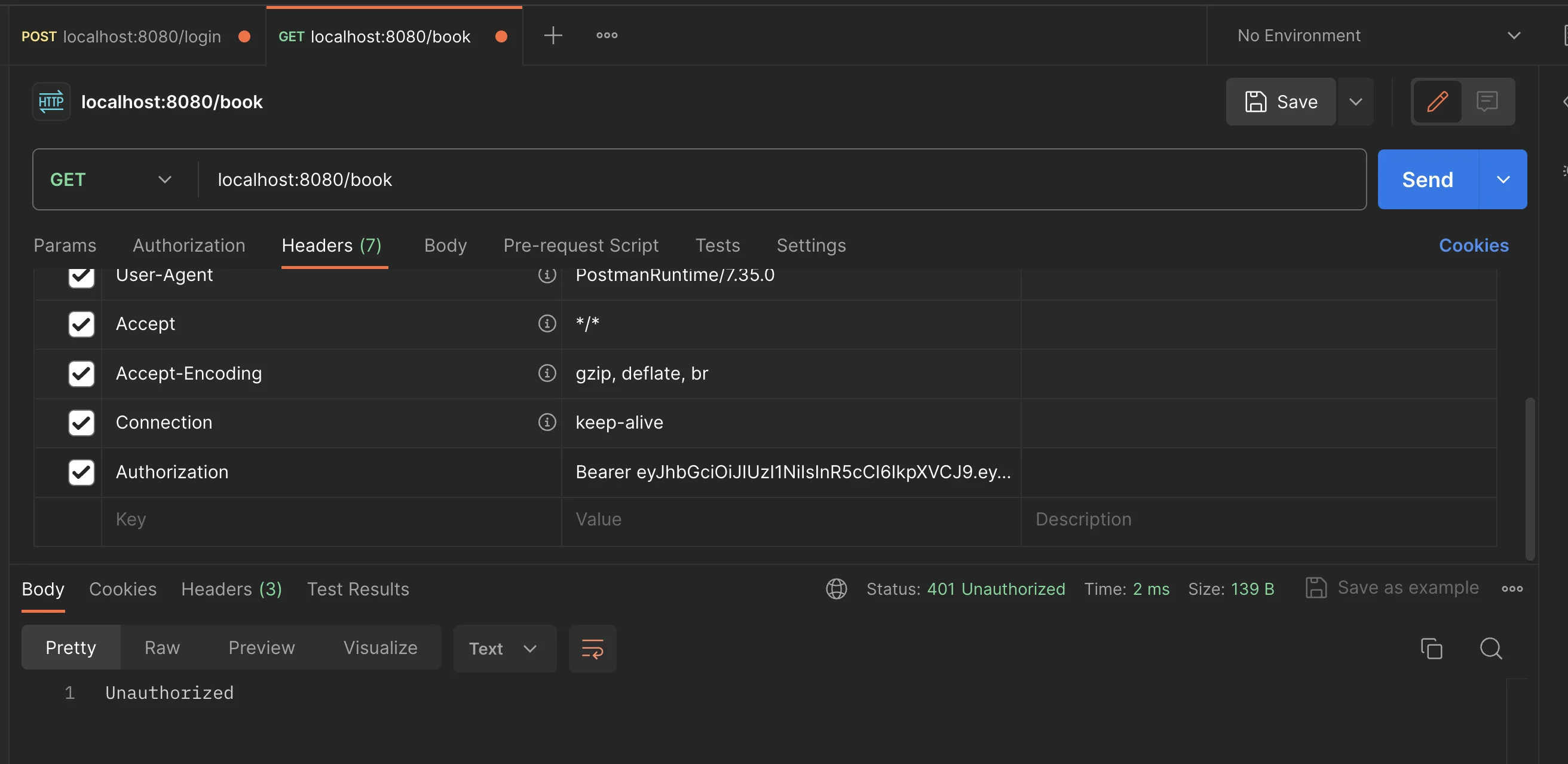
ผลลัพธ์จากการใส่ role อื่นเข้าไป